The task manager for teams on Slack
Task management your team will actually use.
✓ One to-do list per channel. Assign tasks with due dates and discuss them without leaving Slack.
✓ Recurring tasks, smart reminders, and your own personal to-do list.

✓ 14 day free trial ✓ Works great with Slack's free plan
By using Let's Do you accept the terms.
Used by teams at




"We've become reliant on Let's Do to organize numerous tasks in the lab. I've really been appreciating using Let's Do!"
– Frederico Henning, Department of Genetics, University of Rio de Janeiro
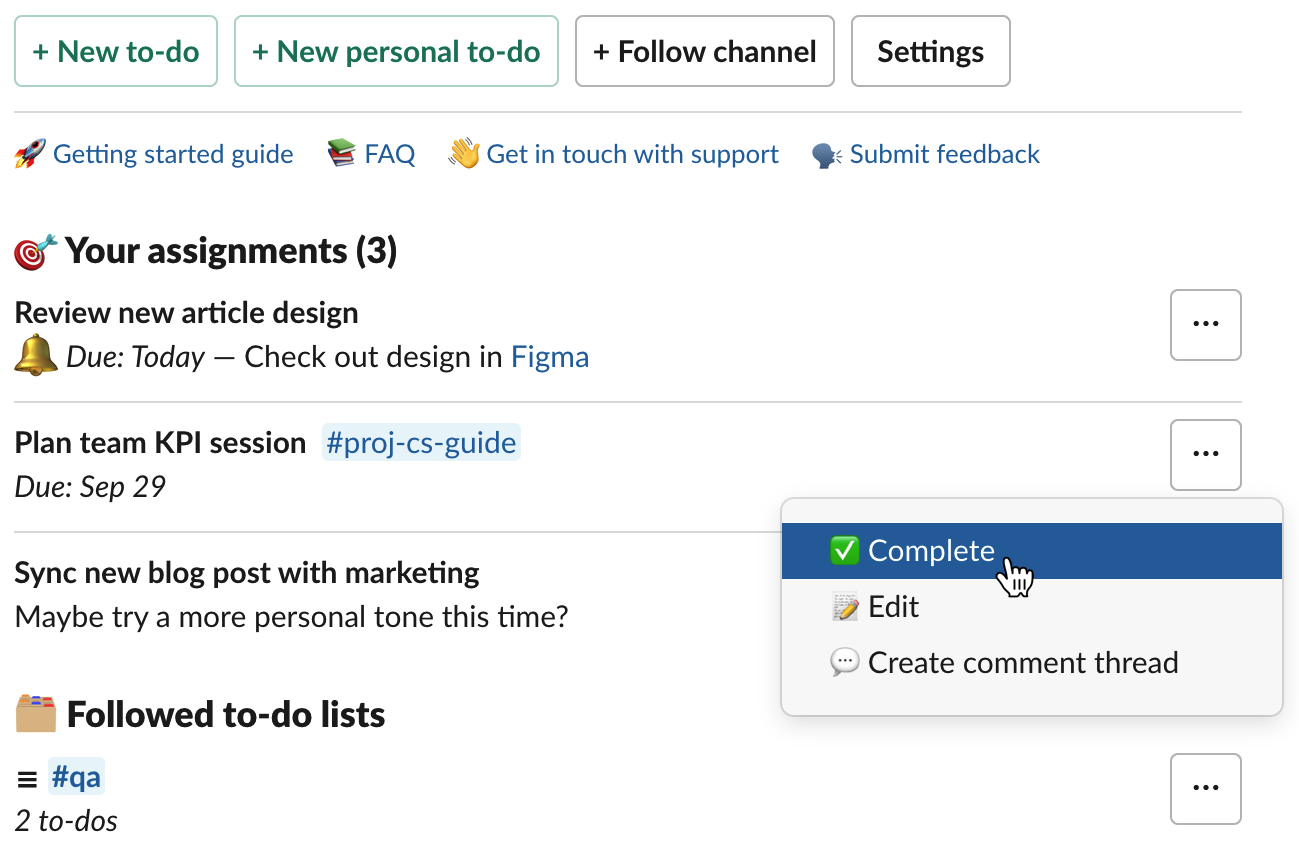
One place for to-dos in Slack
Each team member easily stays on top of assignments from their personalized to-do overview in Slack. Keep calm, organized, and know what tasks are next.
Turn messages into to-dos
Tasks often hide in conversations. Select any Slack message and AI suggests the title, assignees, and due date. No copy-pasting or re-typing needed, so nothing slips through the cracks.
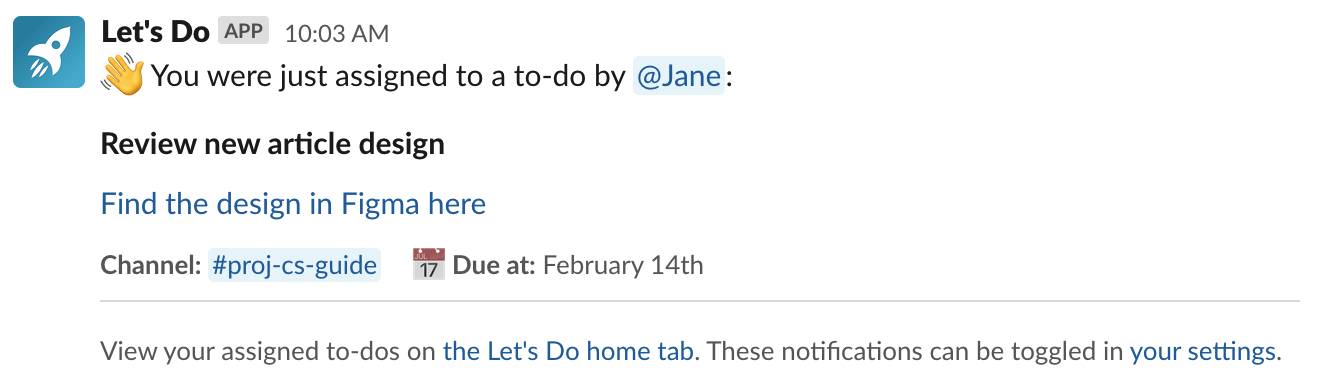
Stay in the loop
Get notified about new assignments and reminded about due tasks. Adjust when reminders are sent, or turn them off when you need focus time.
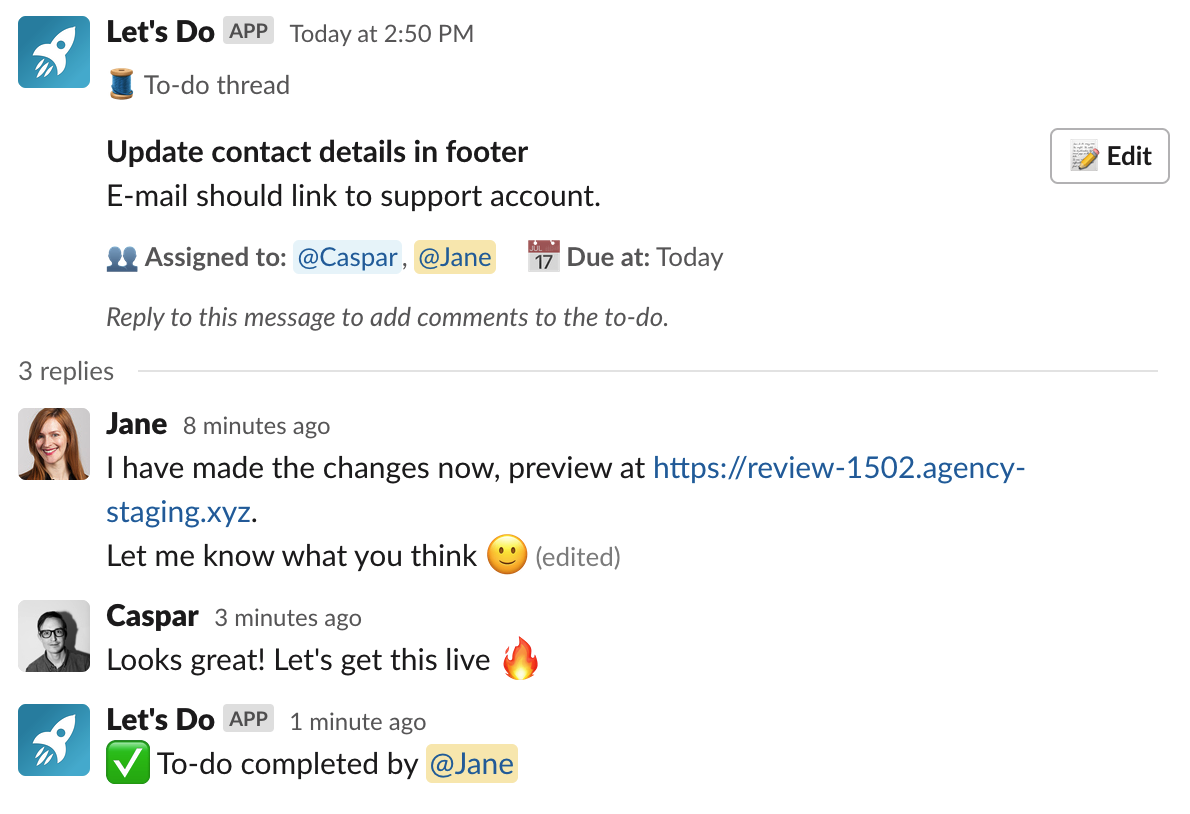
Discuss tasks in threads
Each task gets its own Slack thread for discussion. Mentions, emoji reactions, file sharing, everything works like you'd expect.
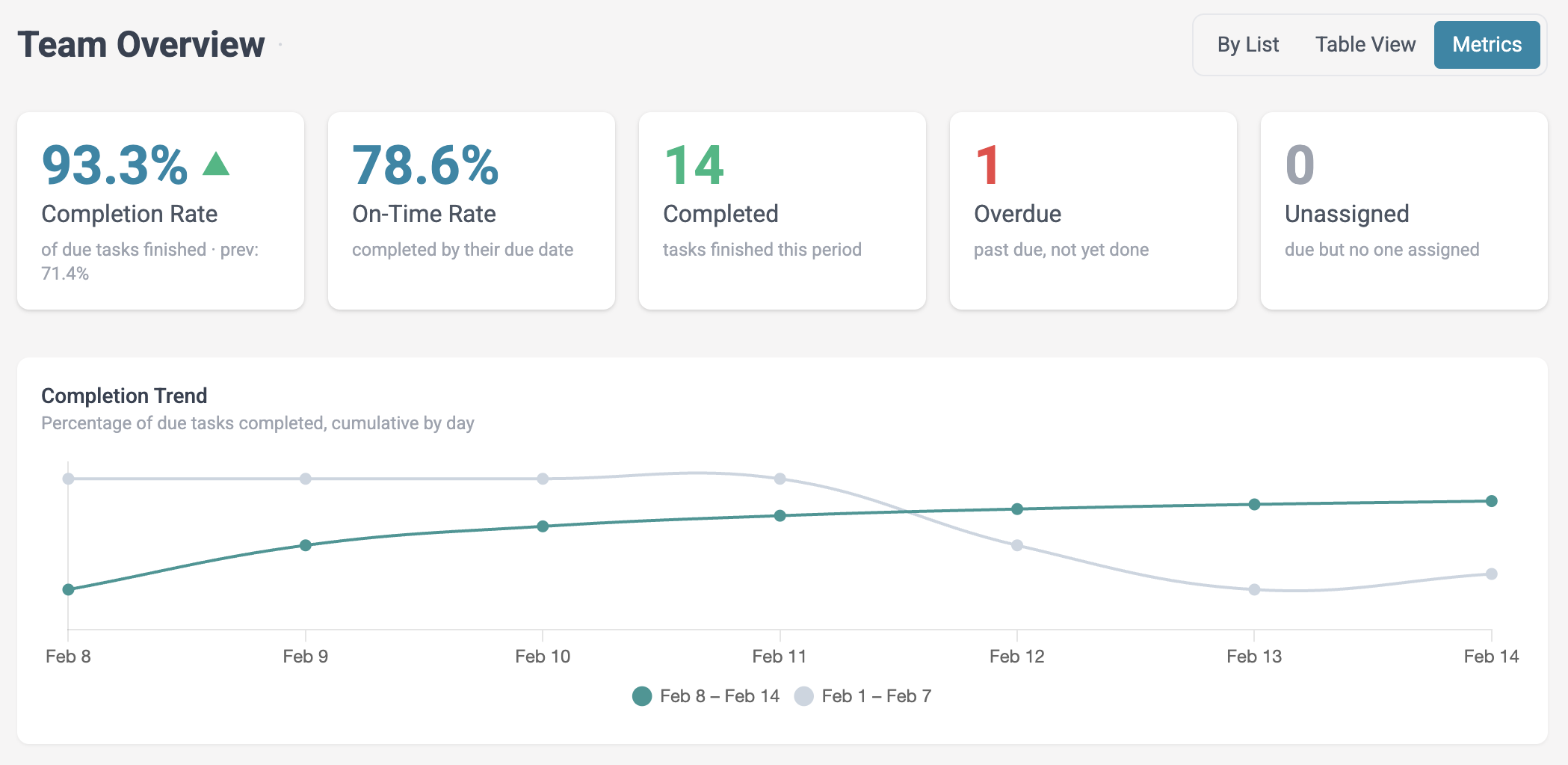
See your team's week at a glance
Track completion rates, spot overdue tasks, and get the full picture of your team's progress.
Works with Claude and ChatGPT
Ask your AI assistant what's overdue, get a summary of last week or turn meeting notes into to-dos for the right people. It only sees the channels you can see in Slack.
More than just reminders
Assignments, recurring tasks, smart reminders, and a dashboard to track it all.
✓ Recurring tasks
✓ Personal to-dos
✓ Subtasks
✓ Smart reminders
✓ Team overview
✓ Weekly summaries
Frequently asked questions
Does Let's Do work with Slack's free plan?
Yes, Let's Do works great with both free and paid Slack plans.
Do I need a credit card to try it?
No, the free trial requires no credit card. Just install from Slack and start using it right away.
How much does it cost after the trial?
Let's Do is free for small teams. Paid plans start at $14/month flat rate per workspace. See all plans →
Is it hard to set up?
Not at all. Add Let's Do to your Slack workspace and every team member can start using it right away — no individual accounts or configuration needed.
What happens when the trial ends?
Your tasks and lists stay exactly as they are. If you don't upgrade, you can still view and complete existing tasks, you just can't create new ones beyond the free plan limit. Nothing gets deleted.
How is this different from Slack Lists?
Slack Lists requires a paid Slack plan. Let's Do works on Slack's free plan and adds features Lists doesn't have: recurring tasks, smart reminders, a team overview dashboard, and weekly progress summaries. Compare all Slack to-do list options →
Can I assign tasks with a due date in Slack?
Not on Slack's free plan without an app. Slack Lists has assignees and due dates, though only on paid Slack plans. Slack reminders only work for yourself or a whole channel. Let's Do adds assigned tasks with due dates to any Slack workspace, free plan included. Each assignee gets a reminder on the due date.
Learn more
Slack to-do list options · Task management in Slack · Pin lists in channels · Slack reminders guide · Recurring tasks · Slack project management · Slack vs Asana
Have a question? Get in touch with us at hi@letsdo.io.