Team Overview Dashboard
See what your team is working on, track progress, and find tasks that need attention.
What is the Team Overview?
The Team Overview is a web-based dashboard that gives you a bird's-eye view of all to-dos across your team. Use it to see what everyone is working on, find overdue or unassigned tasks, and track completion trends.
You can open it from the "Team overview" button in the App Home toolbar, or by visiting the navigation bar when signed in at letsdo.app.
Filtering and search
The By List and Table views share the same set of filters:
- Open to-dos (default) — uncompleted tasks
- All to-dos — everything, including completed
- Completed — finished tasks, most recent first
- Due this week — uncompleted tasks due by end of the week
- Overdue — uncompleted tasks past their due date
- Unassigned — uncompleted tasks with no one assigned
- Assigned to — filter by a specific team member
There is also a search bar that filters to-dos by title as you type.
By List view
The default view groups open to-dos by channel. Each list shows the to-do title, assignees, due date, and action buttons. Completed tasks are shown at the bottom of each list.
To reorder to-dos within a list, open the list sorting page from the team overview, where you can drag and drop tasks or sort by due date.
Table View
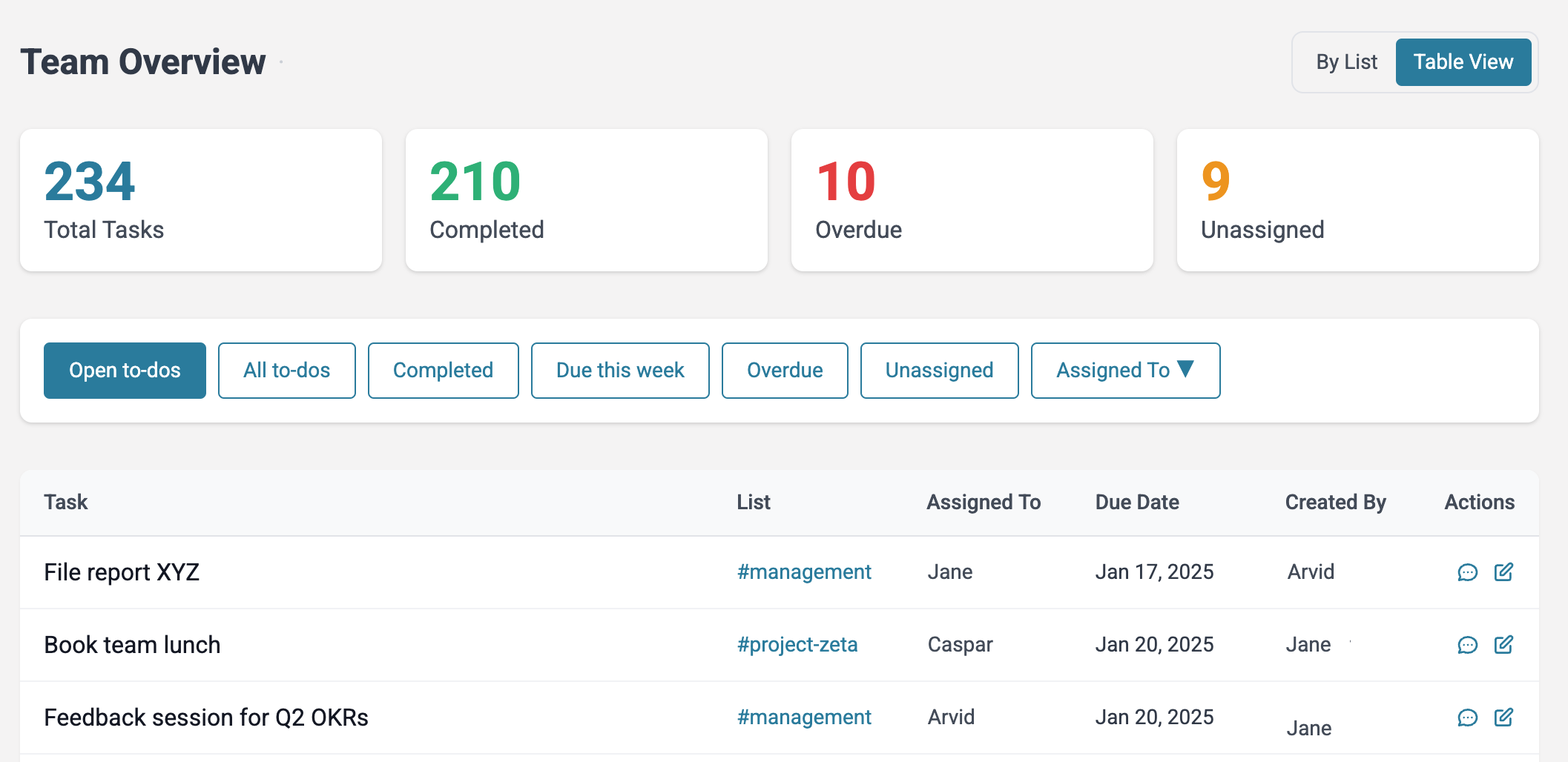
The Table View shows all to-dos in a single sortable table. Columns include the task title, list, assigned to, due date, and created by. Click any column header to sort.
This view is useful when you want to quickly scan across all channels and sort by due date or assignee.
Metrics
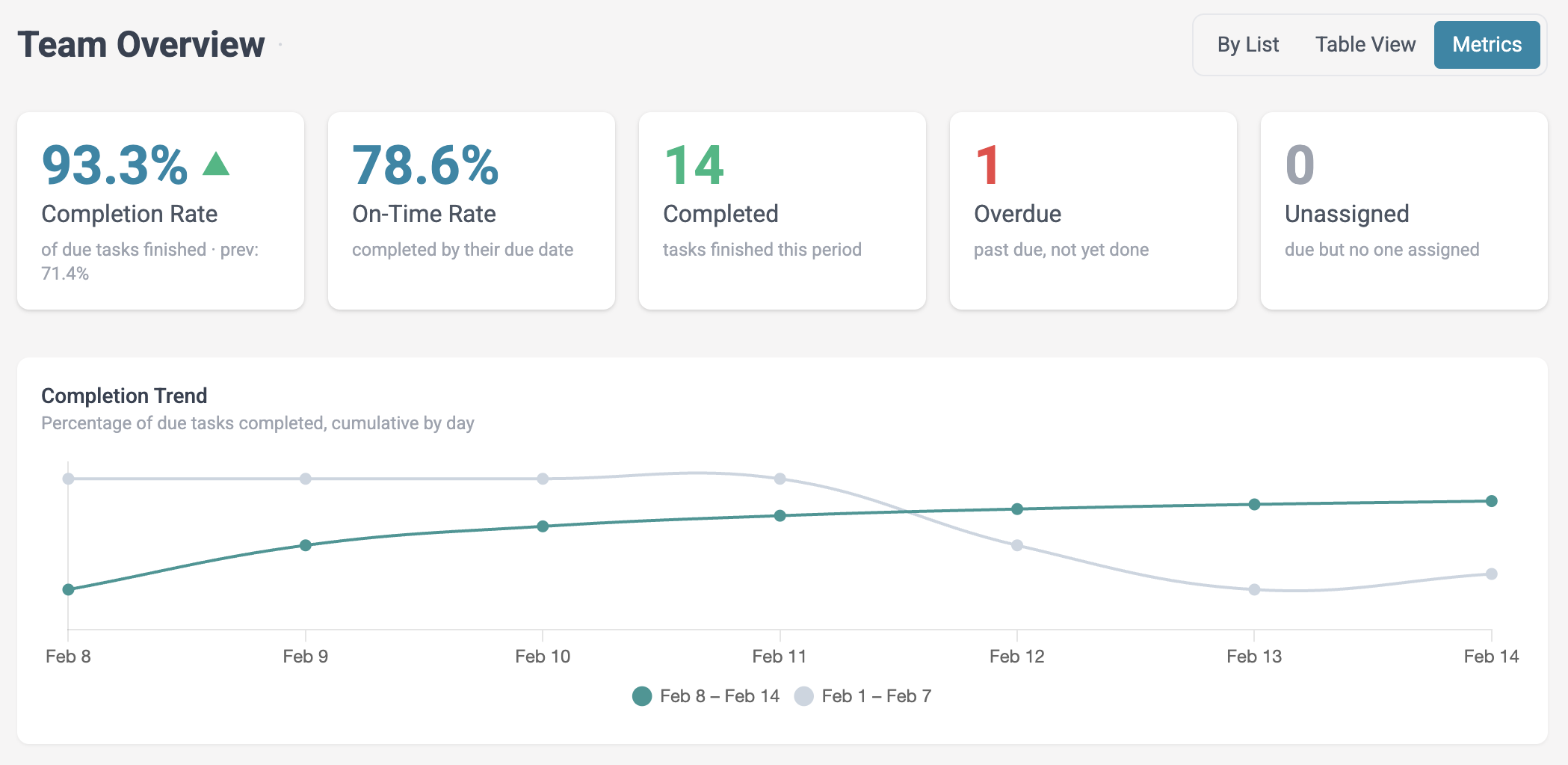
The Metrics view shows completion statistics for a selected date range. Summary cards display the completion rate, on-time rate, and counts for completed, overdue, and unassigned tasks. A trend arrow compares the current period to the previous period of the same length.
Below the summary, a trend chart shows the cumulative completion rate over time, with the previous period overlaid for comparison.
Per-list breakdowns show completed tasks, completion rates, and on-time rates for each channel. Per-person breakdowns show assigned tasks, completed tasks, and completion rates for each team member.
Available date ranges: This week, Last 7 days, This month, Last 30 days, This quarter, Last 90 days.